Civil 第4页
Civil & Structural Engineering softwares.

自 1979 年以来,Chvac 一直是商业负荷计算软件领域的行业领导者。立即试用 Elite Software 的旗舰产品,了解为什么众多专业工程师选择 Chvac。同时获取 Chvac 和 EnergyPro(Chvac 与之集成),您将拥有市场上功能最强大、最易于使用的商业负荷计算/能源分析组合。Chvac 8.02 组合版,包含 Drawing Board 6.01,且房间容量不受限制。 可用版本: 8.x, … Elitesoft Chvac Unlimited 8.3.8 功能 计算峰值供暖和制冷负荷 确定建筑吨位和房间风量需求,以及出风管尺寸 使用RTS或CLTD计算方法 Chvac符合ANSI/ASHRAE/ACCA 183-2007标准 使用湿度数据计算风量 可根据手动输入的数据或使用绘图板创建的平面图直接计算 导入和导出gbXML文件 新增!允许为每个房间设置不同的室内条件 与能源审计程序连接 与PsyChart程序连接 PsyChart 程序可以将空调系统数据直接导入其“空气处理器模型”窗口。 与 HVAC Solution 程序连接。 将数据传输到 EnergyPro 和 eQUEST 程序(更多关于将 eQUEST 与空调系统结合使用的信息) 每个房间最多可设置 30 面墙、30 扇窗户和 12 个屋顶 自动符合 ASHRAE 标准 62 支持公制和英制单位计算 可将任何项目在英制和公制单位之间进行转换 支持同时进行渗透和通风 计算支管和主干风管尺寸 从 ARI/GAMA 数据库中选择设备 几乎支持无限数量的 房间 房间可选择按变风量 (VAV) 箱分组 打印多种彩色饼图和柱状图 创建电子表格输出文件 More Information in English:Elitesoft Chvac Unlimited 8.3.8
RHVAC 让暖通空调负荷计算、风管尺寸计算、设备选型和销售方案制定变得无比轻松——几乎所有输入都提供一键帮助,还有常用材料列表、自动错误检查等功能。没有哪款 ACCA Manual J、D 和 S 型暖通空调设计程序的功能能超越 RHVAC。RHVAC 10 套装包含 Drawing Board 2.01.72 , Manual D Ductsize 1.01, Bill of Materials 1.01, 和 Proposal Maker 1.01。 可用版本: 10.2.x, 10.1.x ,… Elite Rhvac 10.2.26 Rhvac可在所有Windows电脑上运行。Rhvac Online采用订阅制,可在所有联网的电脑、平板电脑和智能手机上运行。桌面版和在线版可以相互导入和导出项目文件。两个版本均可根据ACCA J、D和S手册计算住宅建筑和部分轻型商业建筑的峰值供暖和制冷负荷(包括整体和逐间计算)。Rhvac的两个版本均包含完整的ACCA D手册风管尺寸计算功能和完整的S手册设备选择功能。数据可以手动输入,也可以从使用可选的绘图板程序(仅在Rhvac桌面版中提供)绘制的平面图中自动获取。软件会根据需要自动查找J手册中列出的所有墙体、窗户、门和屋顶的热传递系数(HTM值)。此外,还可以轻松添加其他建筑材料。 软件内置了2000多个城市的气象设计数据。此外,用户还可以根据需要修改现有气象数据并添加更多数据。 Rhvac Desktop 强大的图形化项目资源管理器功能提供拖放式分区控制。软件会根据需要自动调整分区风量 (CFM)。用户可以从免费包含的 AHRI 数据库中选择设备。综合报告列出了项目总体数据、设备信息、建筑总负荷汇总、详细的房间负荷计算,以及每个区域和系统的房间负荷汇总,其中包含供暖和制冷风量 (CFM) 值。此外,还可以打印彩色条形图和饼图(仅限桌面版)。Rhvac 的两个版本均包含其他功能,例如玻璃遮阳、通风空气、设备负荷和默认房间数据。 Rhvac Desktop 的高级功能包括整栋建筑的完整旋转或镜像,以及与物料清单、能源审计、提案制作、EnergyPro、Energy Gauge、REM/Rate、Ekotrope、REScheck 和 Energy Star 等软件共享数据的功能。Rhvac 10 版新增功能 More Information in English:Elitesoft Rhvac Desktop 2026 v10.2.26
VisualCAD/CAM 是我们推出的独立 CAD/CAM 软件包,是目前市场上性价比最高的 CAD/CAM 系统——毋庸置疑。 VisualCAD 是 VisualCAM 运行所依赖的 CAD 平台。VisualCAM 包含 VisualMILL、VisualTURN、VisualNEST 和 VisualART 等模块,旨在满足各种 CNC 加工工艺的特定需求。 可用版本: 2026.x, 2025.x, … MecSoft VisualCAD/CAM 2026 v19.0 VisualCAD/CAM 2026 版本亮点包括: 2 轴和 3 轴高速端面切削方法 3 轴曲面加工中接触刀具状态增强 Z 轴作为 4 轴连续加工的旋转轴 5 轴连续加工模式下的钻孔 众多后处理器增强功能 扩展的 RhinoCAM SDK,用于自动化加工 众多生产效率和用户界面增强功能 NEST 和 Profile-NEST 模块的额外增强功能 Whats New In VisualCADCAM 2026 More Information in English:MecSoft VisualCAD/CAM 2026 v19.0
OrthoGen 通过自动化正投影图的生成来简化项目流程,消除重复性任务,精确定位工厂对象及其位置,保护数据完整性,共享图纸和数据,并快速生成一致的设计图纸。从 3D 模型自动生成的图纸所需时间仅为以往的几分之一,并且能够准确、一致地反映模型状况。OrthoGen 25.0支持 Cadworx 23-25、BricsCAD 22-25、ACAD 2022-2026 和 Plant 3D 2022-2026。 可用版本: 25.x , 23.x ,… 3DSNet OrthoGen 25.0 结构 快速准确地标注和更新截面名称或构件名称 自动偏移尺寸 可从多个参考标准进行标注 长名称/短名称 路径(管道、暖通空调或电缆通道) 用户自定义标签格式 路径“标注模式”包括从每个唯一路径一个标签到路径直线段的每个标签的各种选择 按管道筛选 自动放置防喷器、管底或中心线标高 倾斜段标注“SLOPED”或坡度百分比、坡度比或坡度百分比 在倾斜线交叉处生成防喷器标签线路 仪器/电气 在线和离线仪器标签 支持多种标签格式 自动生成仪器列表报告 在仪器标签上添加/移除单位前缀 外部访问SPI数据以放置标签和隐含的仪器 设备 标签可以放置在视图的内部或外部 放置设备编号,并可选择性地添加描述 使用标签和角度标记喷嘴方向 简洁的用户界面 OrthoGen拥有全新的简洁用户界面。 OrthoGen 22 旨在与 AutoCAD 或 MicroStation 配合使用,支持多种语言,并可与 Smart 3D、PDS 和 CADWorx、Plant 3D、ESAPro 或 OptiPlant 等工厂设计模型兼容。 现在也支持 Revit 中的 BIM,并可将 Revit 图纸导出到 AutoCAD 进行细部设计。 预定义绘图样式: OrthoGen 提供适用于所有专业的众多示例样式。您可以轻松创建样式并根据项目标准进行自定义。样式可以从“INI 文件”保存/加载。 样式编辑器 样式以 INI 文件形式创建,并按照简单的“专业-注释样式”文件夹结构进行管理。使用样式编辑器,您可以访问所有 OrthoGen 设置和选项。 这样无需编程即可进行详细的自定义。 More Information in English: 3DSNet OrthoGen 25.0
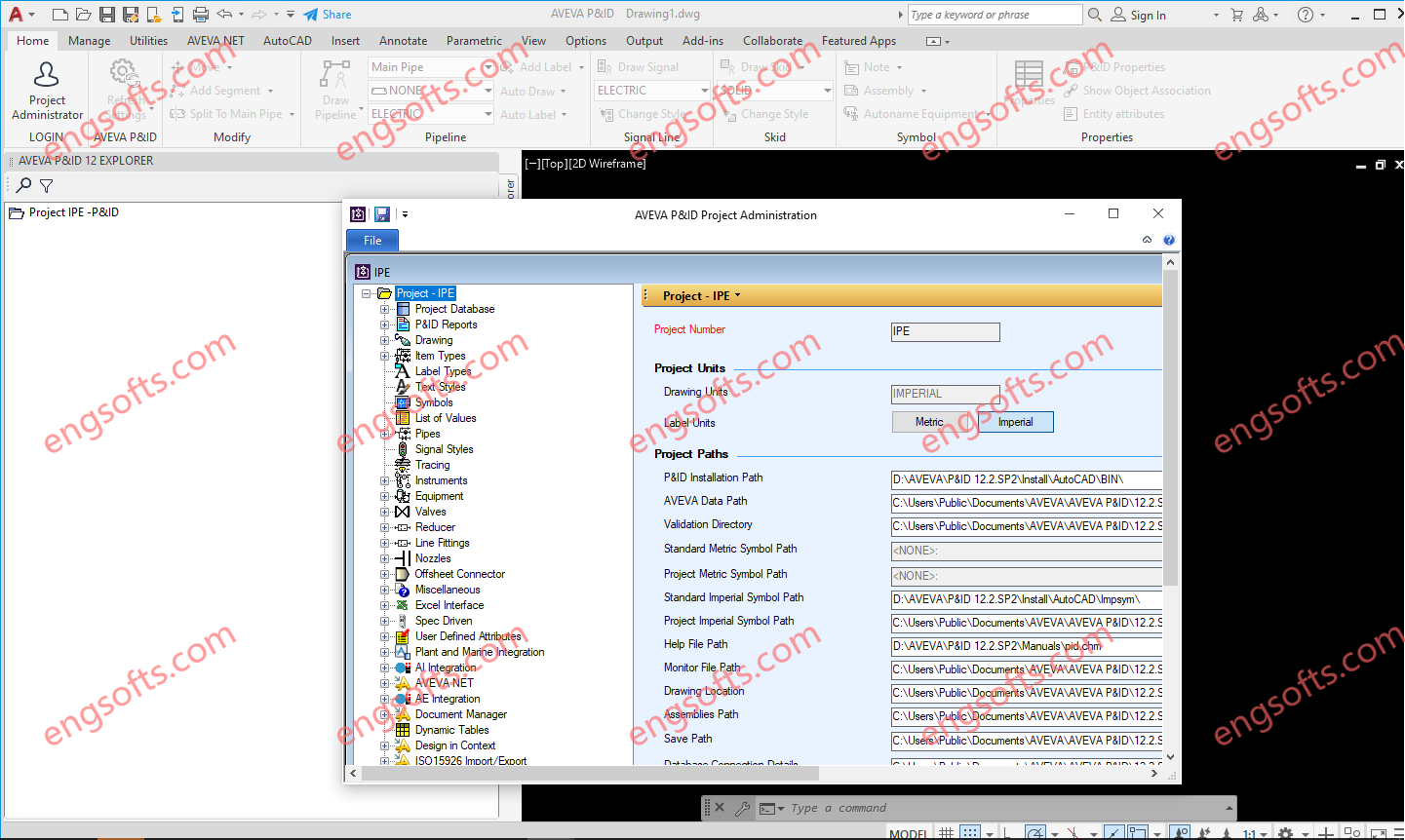
AVEVA P&ID 12.4 is an AutoCAD 2024 based application that enables the creation of intelligent P&IDs quickly and accurately. As a user inserts engineering symbols, and draws flow lines in AVEVA P&ID engineering intelligence is embedded in the AutoCAD drawing that identifies the items and the connectivity between them. Engineering tag information or labels, such as Equipment, Pipeline and Instrument identifiers can be added as the items are created, or later to suit the progressive development of P&IDs and the engineering data available at the time. Only use License Server file,not patched file. AVEVA P&ID 12.4 For AutoCAD 2024 Tested Picture The AVEVA P&ID Graphical User Interface (GUI) comprises a project explorer displaying lists of the Lines, Equipment and Instruments...
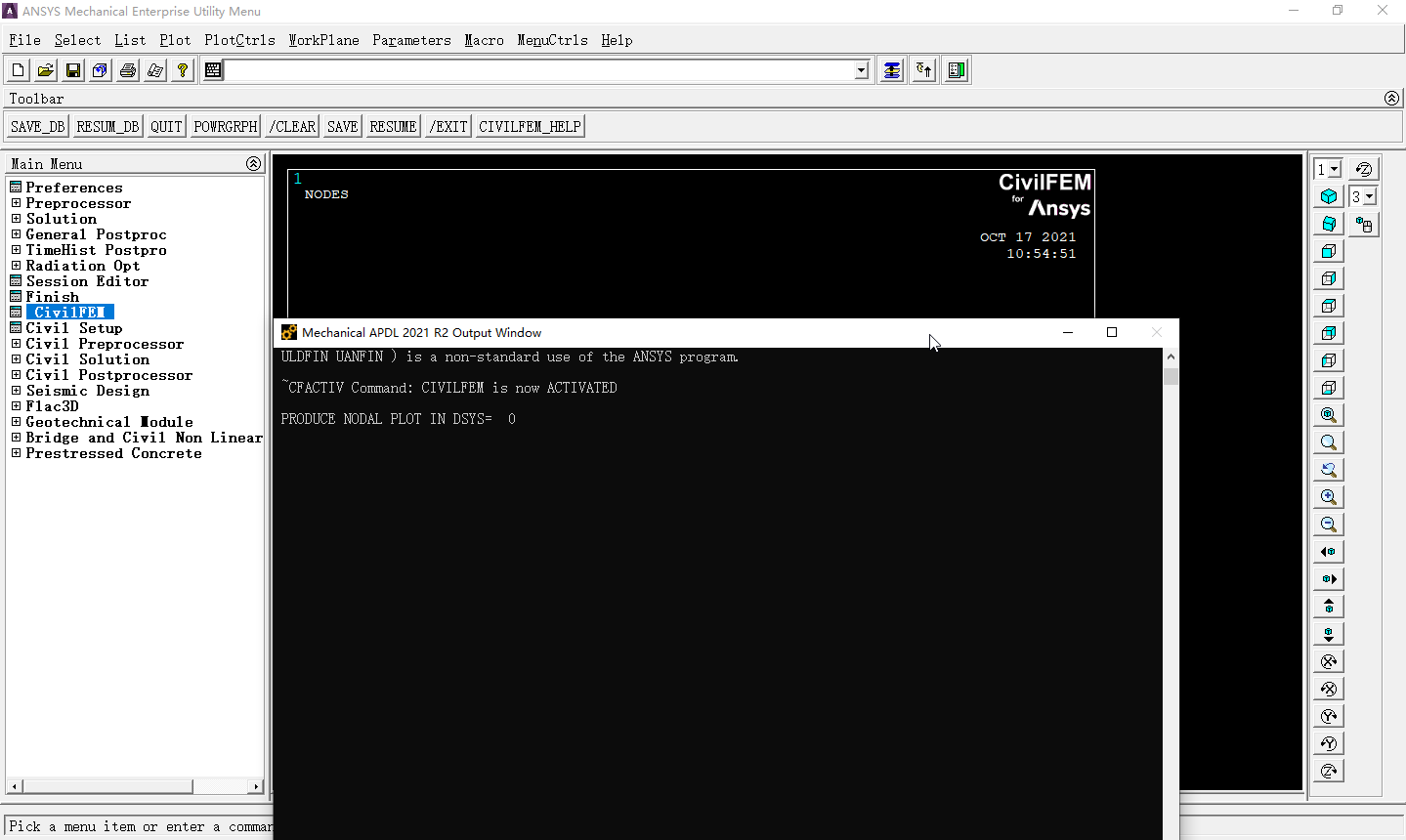
CivilFEM 支持 ANSYS 支持的所有类型的高级分析(动态、静态、线性和非线性),并可作为一款独立的软件运行。CivilFEM 采用模块化设计,由名为 CivilFEM INTRO 的通用产品和针对特定土木工程需求的专用模块组成,例如桥梁和土木非线性模块、高级预应力混凝土模块以及岩土工程模块,这些专用模块可以可选地添加到 CivilFEM INTRO 中。 可用版本: 2025.x ,2024.x ,2023.x ,… CivilFEM 2021 for ANSYS 19.x-2021 Tested Picture CivilFEM 多学科版包含了所有为 CivilFEM 开发的专业模块(入门模块、岩土模块、桥梁和土木非线性模块以及高级预应力钢筋混凝土模块),为用户提供满足其所有土木工程需求的完整解决方案。 最新版本的 CivilFEM 支持多个 ANSYS 版本。“CivilFEM 2025 for ANSYS”可与 ANSYS 2025 以及更早版本的 ANSYS(2020、2021、2022、2023、2024 和 2025)兼容运行。如果您希望 CivilFEM 支持其他 ANSYS 版本,请联系 Ingeciber。 More Information in English: CivilFEM 2025 for ANSYS 2020-2025
CYPE programs have a wide range of national and international codes available which are applied to carry out the analysis, design and check of reinforced concrete, rolled steel, welded steel, cold-formed steel, composite, aluminium and timber structures for gravitational, wind, seismic and snow loads. CYPE’s building services programs contain design codes which are used to analyse and design building services (water supply, waste water, air conditioning, solar capture for hot sanitary water, lightning protection, lighting, gas, electricity and telecommunication installations), and to check thermal and acoustic insulation, the building’s energy certification and fire safety. CYPECAD – program that carries out the analysis and design of reinforced concrete and steel structures, subject to horizontal and vertical loads, for homes, buildings and...
Altair Inspire Extrude is an easy-to-use tool for simulating metal extrusion, polymer extrusion, and friction stir welding processes to detect potential defects early in the product development phase and improve the process efficiency. It uses Altair HyperXtrude solver to simulate these processes. In this short video we’ll demonstrate a typical workflow for polymer extrusion simulation. Available versions: 2025.x , 2024.x , 2023.x , 2022.x , 2021.x , … Altair Inspire Extrude 2025.0 Linux Tested Picture Altair HyperXtrude is a suite of finite element solvers for simulating the following manufacturing processes. These solutions have interfaces in Inspire; the HyperXtrude solver is also called the Inspire Extrude Solver. Binder Jet Sintering Metal Extrusion Polymer Extrusion Quenching Calibration Metal Rolling Friction Stir Welding...
Altair Inspire is an intuitive, powerful family of integrated software products that accelerates simulation-driven design throughout the product development lifecycle, from concept to reality, while reducing product time-to-market. Available versions: 2025.x , 2024.x , 2023.x , 2022.x , 2021.x , … Altair Inspire 2025.0 Linux Tested Picture Used early in the design process, Inspire enables the creation of designs focused on both performance and manufacturability. Inspire empowers its users to explore, develop, and manufacture high-performance products in a single, intuitive environment. Key Features Geometry Creation and Simplification Create, modify, and de-feature solid models using Inspire’s modeling tools. Leverage the speed and accuracy of SimSolid to evaluate multiple variants. Lattice Structures Open the world of lattice structures for optimized design performance...
Altair Inspire Form is a complete stamping simulation environment that can effectively be used by product designers and process engineers to optimize designs, simulate robust manufacturing and reduce material costs. Available versions: 2025.x , 2024.x , 2023.x , 2022.x , 2021.x , … Altair Inspire Form 2025.0 Linux Tested Picture With the fast and easy feasibility module, users can analyze parts in seconds to predict formability early in the product development cycle. The automated blank nesting proposes an efficient layout of the flattened blank on the sheet coil to maximize material utilization. The tryout module includes a highly scalable incremental solver, helping users to iterate and simulate multi-stage forming, trimming and springback in a modern and intuitive user interface, reducing...